Boba shop archviz blockout
Fast proxy blockout to lock composition early, then remodel clean architecture and replace proxies with custom assets.
- Date
- Dec 30, 2025
What is being optimized for
This is planned as a boba shop scene. The priority is layout and composition, not asset polish. Imported assets come in as stand-ins to sanity-check scale, spacing, and camera reads. Once the layout feels right, the architecture gets rebuilt clean and the stand-ins get swapped for custom work.
Proxy blockout (imported assets)
A full blockout gets assembled using imported assets. Custom modeling is kept low on purpose. The goal is a complete scene silhouette fast. Counter zone, seating density, planters, hanging lights, basic dressing.
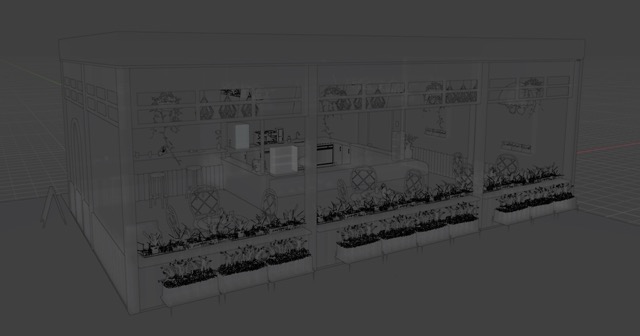
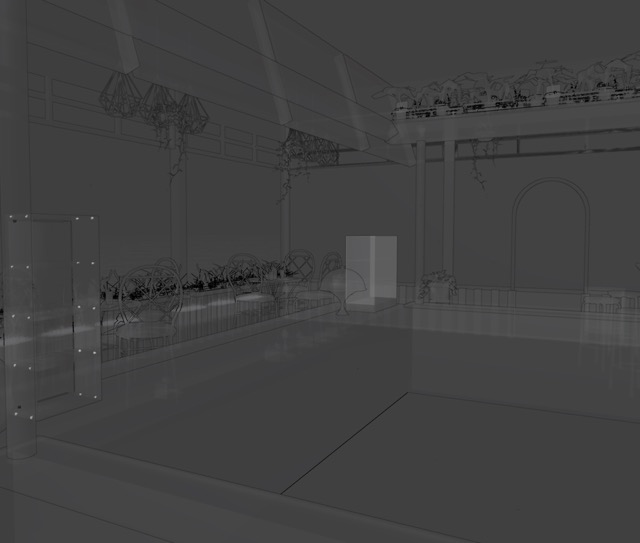
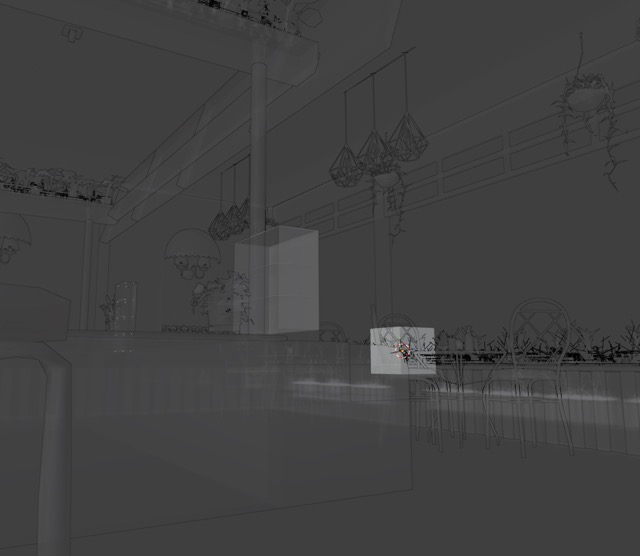
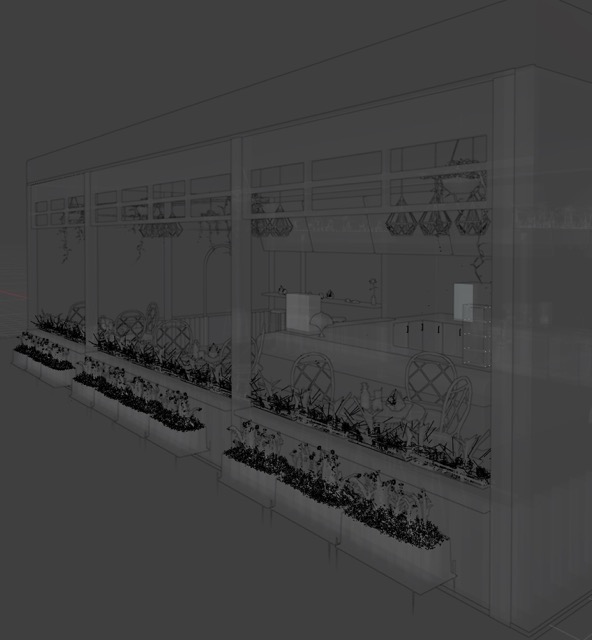
Composition pass (camera + spacing)
With the proxies in, composition gets pushed around. Sightlines through the glazing, where the counter sits, how seating flows, where the negative space lands. Cameras get blocked here. This keeps detailed asset work from happening before the shot is even working.
Ghost-blue guide (remodel over the shadow)
After the composition stops moving, the proxy blockout stays as a guide. It gets a transparent blue material so it stays visible but quiet. Then clean architecture is modeled right over that silhouette so proportions and placement stay consistent.
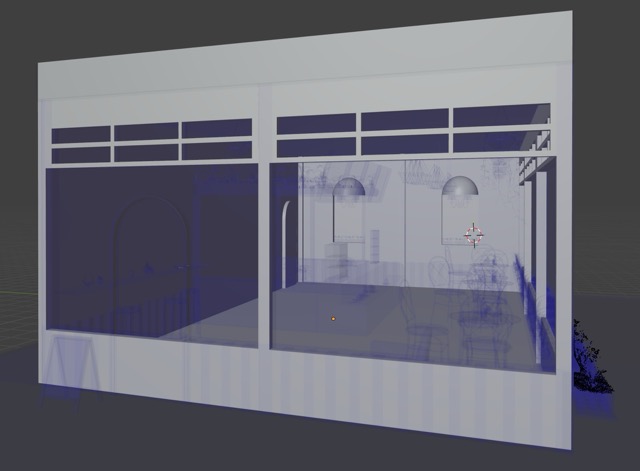
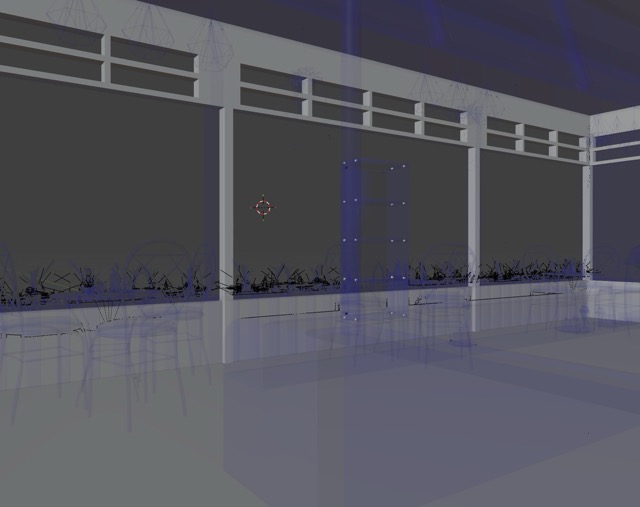
Replace proxies with custom assets
Once the architecture is rebuilt cleanly, proxies come out in priority order. Hero zones first (counter and menu), then seating, then background dressing. Each swap gets checked against the locked cameras so the framing does not drift.
Reference policy
Imported Sketchfab assets are used as temporary reference proxies only. Meshes are not copied 1:1 and are not used as final deliverables. Final props are modeled specifically for the layout and the shot needs.
Why this workflow is efficient
Composition gets solved early. Scale and density get validated before detailed modeling starts. Less rework overall because the hard layout calls are already made. Scope stays obvious too. What is hero, what sits in midground, what can stay simple.
Credits (proxy assets)
- "Display Case" by schoolkjsc, licensed under CC BY 4.0. Available on Sketchfab.
- "Monstera Deliciosa Potted Mid-Century plant" by Giora, licensed under CC BY 4.0. Available on Sketchfab.
- "Plant" by Artsy D'Arcy, licensed under CC BY 4.0. Available on Sketchfab.
- "Cafe Table and Stools" by Guy in a Poncho, licensed under CC BY 4.0. Available on Sketchfab.
- "Chaise de café" by gilles.schaeck, licensed under CC BY 4.0. Available on Sketchfab.
- "Table de café" by gilles.schaeck, licensed under CC BY 4.0. Available on Sketchfab.
- "PLACEMAT NAPKIN SET" by eeelabvisual, licensed under BY CC 4.0. Available on Sketchfab.
- "Cake Display Stand" by kai9987kai, licensed under CC BY 4.0. Available on Sketchfab.
- "Cake" by Harry Charalambous, licensed under CC BY 4.0. Available on Sketchfab.
- "Dish" by bogdanzloy20280, licensed under CC BY 4.0. Available on Sketchfab.
- "Dishwasher" by rickmaolly, licensed under CC BY 4.0. Available on Sketchfab.
- "Armchair" by rickmaolly, licensed under CC BY 4.0. Available on Sketchfab.
- "House Plants Hanging Pot" by monahu, licensed under BY CC 4.0. Available on Sketchfab.
- "mini-fridge" by K-, licensed under CC BY 4.0. Available on Sketchfab.
- "Sundae" by DownRev, licensed under CC BY 4.0. Available on Sketchfab.
- "4ft Extra View Display Case" by EP, licensed under CC BY-NC 4.0. Available on Sketchfab.
- "Cocktail shaker" by Turtle_Flipper, licensed under CC BY 4.0. Available on Sketchfab.
- "Coffee Machine (Animated)" by 3DHaupt, licensed under CC BY-NC 4.0. Available on Sketchfab.
- "Light Switch" by Avot, licensed under CC BY 4.0. Available on Sketchfab.
- "Macha Bubble Tea" by Ethan Buot, licensed under CC BY 4.0. Available on Sketchfab.
- "Red Velvet Cake" by ArbitraryCanary, licensed under CC BY 4.0. Available on Sketchfab.
- "Coffee Maker" by Rodrygo Design, licensed under CC BY-NC-SA 4.0. Available on Sketchfab.
- "[FREE] Pothos Potted Plant - Money Plant" by AllQuad, licensed under CC BY 4.0. Available on Sketchfab.
- "Plants (Foliage study)" by Mr Gicu, licensed under CC BY 4.0. Available on Sketchfab.
- "OUTDOOR DECORATION PLANTS FLOWER" by Nurfaamk, licensed under CC BY-SA 4.0. Available on Sketchfab.
- "Stylized flower" by ZIFS, licensed under CC BY 4.0. Available on Sketchfab.
- "Wall Light" by Lucas Garnier, licensed under CC BY 4.0. Available on Sketchfab.
- "Simple Kitchen Cabinet" by Oliver Apin, licensed under CC BY 4.0. Available on Sketchfab.
- "Low Poly Dishwasher" by Lewis_007, licensed under CC BY 4.0. Available on Sketchfab.
- "Industrial Diamond Pendant Light" by Blizzy, licensed under CC BY 4.0. Available on Sketchfab.
- "Greek Style Flower Vase" by Jackson.Charles, licensed under CC BY 4.0. Available on Sketchfab.
- "Woven Rattan Napkin Ring" by inciprocal, licensed under Free Standard. Available on Sketchfab.
- "Cake & Coffee" by NewDOF, licensed under CC BY 4.0. Available on Sketchfab.
- "Cake" by Citrus, licensed under CC BY 4.0. Available on Sketchfab.
- "Display Panel Low Poly" by inidewin, licensed under CC BY 4.0. Available on Unity Asset Store.